Shopify Collective: How It Works, Free in 38 Countries
Shopify Collective, read on November 4, 2026: free Retailer and Supplier apps, 38 countries, same-country partners, supplier paid when it ships.
 Nicolas ProvostNov 4, 2026 · 15 min read
Summarize this article with an AI
 ChatGPT
 Claude
Table of contents (10)
Key takeaways
- Shopify Collective is free with all Shopify plans for eligible stores, and its Retailer and Supplier apps were both listed as free on the Shopify App Store on November 4, 2026.
- Both stores need Shopify Payments with active payouts and a business in one of 38 supported countries, and a retailer can only connect with a supplier in the same country using the same currency.
- The supplier's cost price is debited from the retailer's Shopify Payments balance when the order is placed and transferred to the supplier when it marks the order as fulfilled.
- The retailer's store sends the shipping confirmation, and the supplier receives the customer's name, shipping address and phone number if provided, but not the customer's email address.
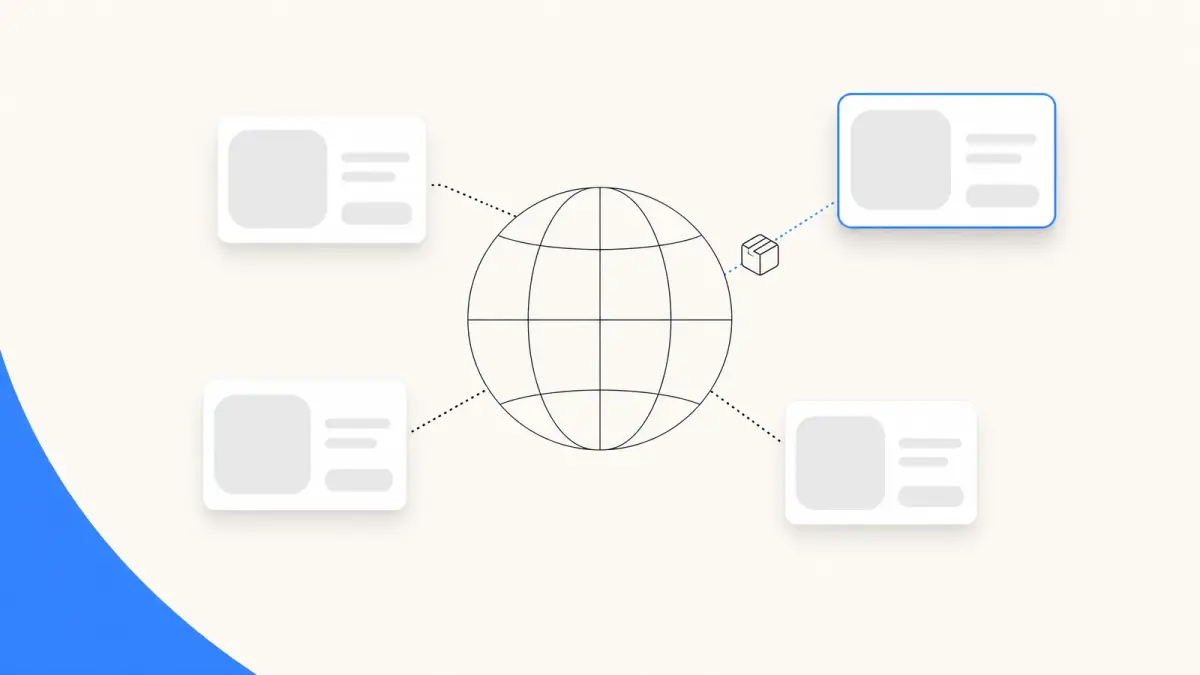
Shopify Collective lets one Shopify store sell another Shopify store's products: the retailer imports products from a supplier, the customer checks out on the retailer's store, and the order goes to the supplier, who ships it and is paid automatically when it fulfills. According to Shopify's Help Center, it is free to use with all Shopify plans, subject to store eligibility, as of November 4, 2026. Both stores need Shopify Payments, a business in one of 38 supported countries, and the same country and currency as their partner.
This guide reads Shopify's Collective page, its Help Center for retailers and suppliers, and the two Shopify App Store listings as they stood on November 4, 2026. Amounts in examples are in US dollars.
What is Shopify Collective?
Collective is made of two apps, both published by Shopify. A store can use one or both: Shopify's Help Center states that "Your business can be both a supplier and a retailer."
| App | Role | Price on the App Store | Rating |
|---|---|---|---|
| Shopify Collective | Retailer: import products from Shopify brands and sell them without holding inventory | Free | 4.4 out of 5 (471 reviews) |
| Shopify Collective: Supplier | Supplier: share selected products with retailers through price lists, and ship their orders | Free | 4.5 out of 5 (844 reviews) |
Source: Shopify App Store listings, read on November 4, 2026.
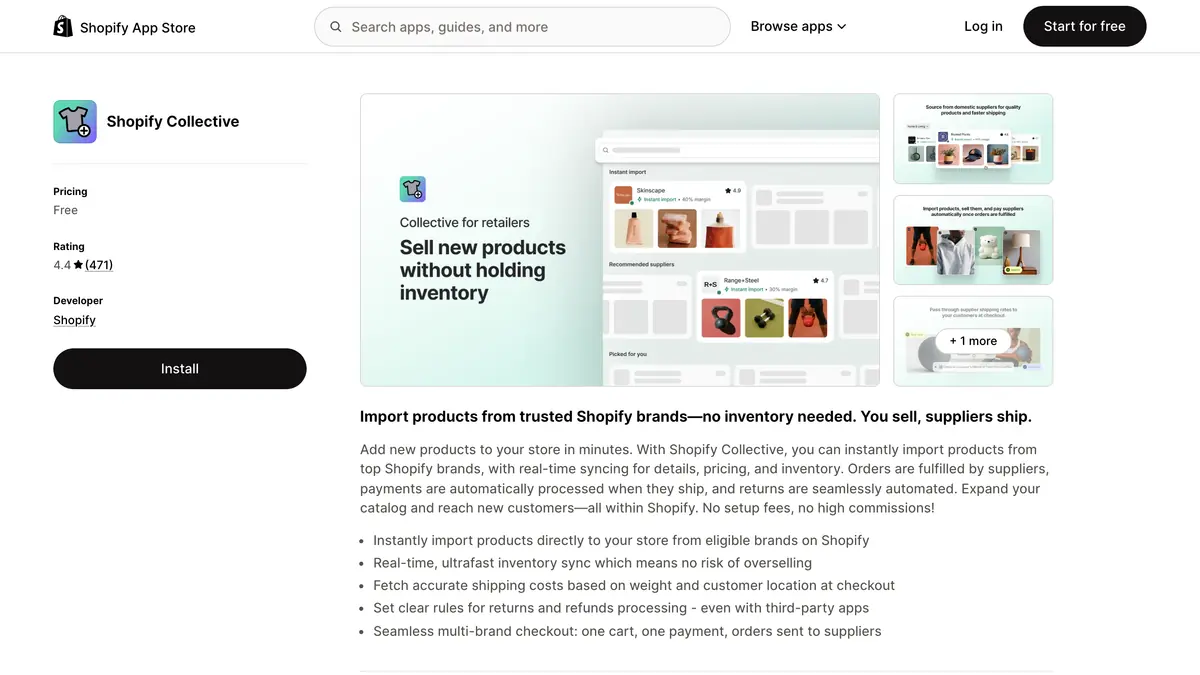 Source: Shopify Collective on the Shopify App Store, read on November 4, 2026.
The retailer listing describes the model in one line: you sell, suppliers ship. Its features include real-time inventory sync, shipping costs fetched at checkout from the supplier, return and refund rules, and one multi-brand checkout in which the customer pays once and the orders are sent to each supplier. The listing names Loop, Narvar, Redo, Shopify Bundles, Shopify Flow and Shopify Subscriptions under "Works with".
Who can use Shopify Collective?
The retailer requirements and supplier requirements are close to identical:
- Plan. The store must be on an active plan. The Pause and Build plan can't be used with Collective.
- Country and currency. The business must be based in a supported country and use a supported store currency, and a retailer must be in the same country as its supplier and use the same currency.
- Shopify Payments. The store must complete the Shopify Payments account setup, with active payouts, and the payout account's currency must match the store's currency.
- Network Intelligence. Shopify Network Intelligence must be activated in the store's settings.
- Terms and verification. The store accepts Collective's Terms of Service and meets Shopify's trust, safety and fraud requirements, which can include an ID verification.
- Tax in the UK and EU (and Canada, for suppliers). Manual Tax setups aren't eligible: the store uses Shopify Tax, Basic Tax or a third-party tax app.
- Shop app (suppliers). Shopify's Collective page adds that a supplier's store must be active on the Shop app and meet the Shop Merchant Guidelines.
The 38 supported countries, as listed on November 4, 2026: Australia, Austria, Belgium, Bulgaria, Canada, Croatia, Cyprus, Czechia, Denmark, Estonia, Finland, Germany, Gibraltar, Greece, Hong Kong, Hungary, Ireland, Italy, Japan, Latvia, Liechtenstein, Lithuania, Luxembourg, Malta, Mexico, Netherlands, New Zealand, Norway, Poland, Portugal, Romania, Singapore, Slovenia, Spain, Sweden, Switzerland, the United Kingdom and the United States. The 18 supported currencies are AUD, GBP, CAD, CZK, DKK, EUR, HKD, HUF, JPY, MXN, NZD, NOK, PLN, RON, SGD, SEK, CHF and USD.
Retailers in Croatia, Cyprus, Estonia, Gibraltar, Greece, Latvia, Liechtenstein, Luxembourg, Malta and Slovenia can't use the Discovery page and connect with suppliers by direct invite only, according to the discovery article.
What Collective doesn't cover:
| Not supported | Detail |
|---|---|
| Products | Digital products and gift card products |
| Features | Managed Markets, pickup in store, metafields |
| In person | Collective products can be added to a POS channel, but suppliers ship only to the customer's address |
| International shipping | Duties, taxes and tariffs on international shipping labels aren't passed from retailers to suppliers |
| Supplier side | Product bundles and metafields aren't synced to retailers, and subscriptions and combined listings aren't compatible |
Source: Shopify Help Center, retailer and supplier requirements and considerations, read on November 4, 2026. On the retailer side, imported products can be used in product bundles, subscriptions and combined listings, and Shopify Flow works on both sides.
How much does Shopify Collective cost?
Nothing on its own. The Help Center states that Collective "is free to use with all Shopify plans, subject to store eligibility" and that "There is no minimum store sales requirement." The retailer's payments article adds that there are no extra charges for using Collective's automatic payments feature, and Shopify's Collective page answers its own pricing question with "No setup fees, no high commissions."
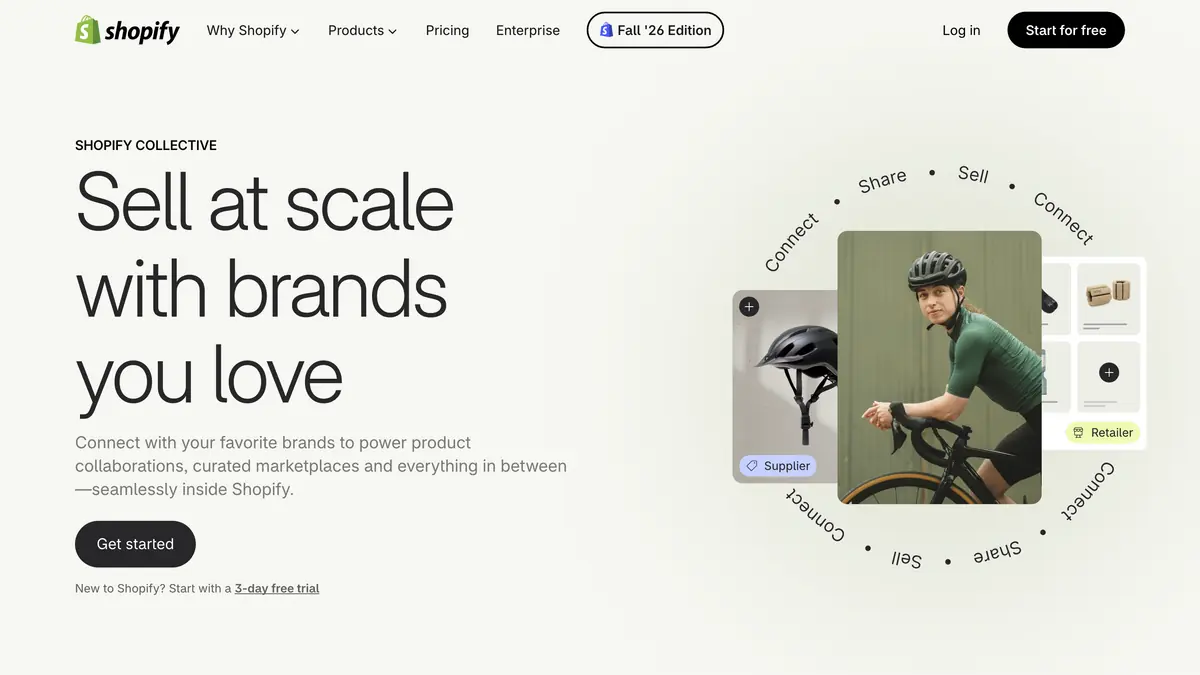 Source: Shopify Collective page, read on November 4, 2026.
The money that does change hands on an order:
| Cost | Who pays | Basis |
|---|---|---|
| Collective apps | Nobody | Free for eligible stores |
| Supplier's cost price | Retailer, to the supplier | The retail price minus the margin set in the supplier's price list |
| Supplier's shipping rate | Retailer, to the supplier | Flat or calculated rate set by the supplier, owed even if the retailer offers free shipping |
| Shopify plan | Each store | Its own plan, unchanged by Collective |
| Payment processing on the customer's order | Retailer | The customer pays the full order at the retailer's checkout, with the retailer's usual payment fees |
Source: Shopify Help Center articles on retailer payments, shipping, supplier price lists and supplier payments, read on November 4, 2026. The supplier payments article states that the retailer receives the full order amount and owes the supplier a portion.
Plan prices and Shopify Payments rates are covered in our guide to Shopify pricing.
Margins. The supplier sets the retailer's margin as a percentage of the retail price in each price list. Shopify suggests suppliers offer between 20% and 50%, and requires a minimum margin of 5% on public price lists. The cost price always syncs from the supplier and the retailer can't change it, but the retailer can raise or lower its own retail price, and its discount codes reduce its own profit, not the supplier's cost price.
How do Collective orders and payouts flow?
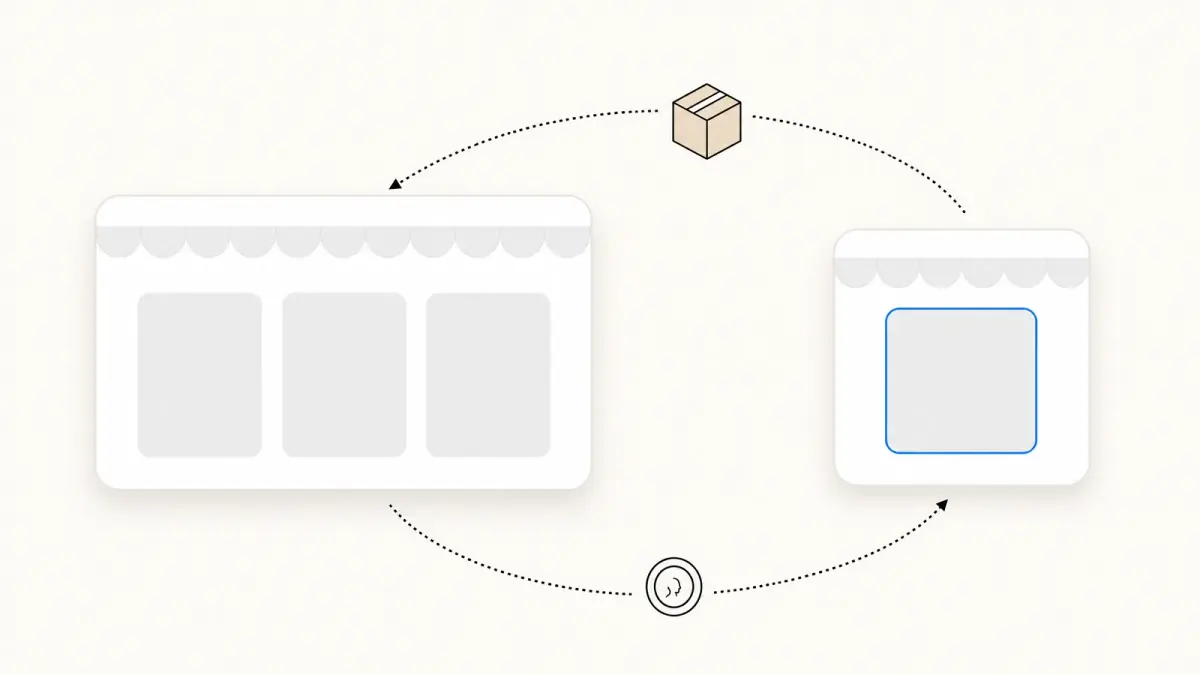
The order article and the payments article describe this sequence, with automatic payments turned on for both stores:
- The customer checks out on the retailer's store, with Collective products and the retailer's own products in the same cart.
- The supplier's share is debited from the retailer's Shopify Payments balance, and held until the supplier fulfills the order.
- The order is created on the supplier's store once it is marked as Paid, a two-minute period has passed and it isn't on hold, which leaves time for the retailer's fraud checks and automations. With automatic payment capture, the fulfillment request is sent automatically; with manual capture, the retailer clicks Request fulfillment.
- The supplier ships. When it fulfills, the order is also fulfilled in the retailer's store with the fulfillment details, such as the tracking number.
- The supplier is paid. The funds transfer to the supplier's Shopify Payments account when it marks the order as fulfilled. The retailer sees the debit as "Shopify Collective Debit" in its payouts, according to the retailer checklist.
- The customer hears from the retailer. The shipping confirmation email comes from the retailer's store, not the supplier's.
Two rules on customer data: the supplier's order includes the customer's name, shipping address and phone number if provided, and the customer's email is replaced by a unique variant of the retailer's contact email, so supplier emails reach the retailer.
What can go wrong:
- Low balance. If the debit fails, Collective retries until it succeeds, and the order shows as Payment pending. Some suppliers delay fulfillment until payment clears, and Shopify suggests weekly or monthly payouts so the balance can cover debits.
- Cancellations. A retailer can request a cancellation only while the order is in Fulfillment in progress, and the supplier can decline if it has already processed the order. With automatic payments, Collective cancels the order immediately if payment hasn't been taken when you request the cancellation, and after 14 days if payment was taken but the supplier didn't ship.
- Refunds. The retailer refunds the customer by canceling the order in its own admin, and supplier refunds transfer automatically when both stores use automatic payments.
How does shipping work on Shopify Collective?
Suppliers set the rates, product by product and zone by zone, according to the shipping article: a flat rate, a calculated rate synced from the supplier's shipping profiles, a manual invoice (shown at checkout as free shipping by default), or no shipping to that zone. Imported products go into a default Collective shipping profile that shows the supplier's rates at checkout.
Shopify's own example: a helmet with a calculated rate of $8.65 means the customer pays $8.65 and the retailer pays the supplier $8.65. The retailer can override rates with a custom shipping profile, for example free shipping above a threshold, but it still owes the supplier the supplier's rate. Our guide to Shopify shipping rates explains how shipping profiles work.
What does a Collective order earn? A worked example
The stores and numbers are fictional. A US home goods retailer imports a lamp from a US supplier. The lamp's retail price is $100, the supplier's private price list gives the retailer a 30% margin, and the supplier charges a flat $8 shipping rate.
- Customer pays: $100 for the lamp plus $8 shipping, plus sales tax, at the retailer's checkout.
- Retailer owes the supplier: the cost price, $100 minus 30%, so $70, plus the $8 shipping rate, debited from its Shopify Payments balance and transferred when the supplier ships.
- Net product margin: $100 - $70 = $30. Shopify's definition is the retail price minus discounts, refunds and the cost price, excluding shipping and taxes.
- With a 10% discount code: the lamp sells for $90, the cost price stays $70, and the margin falls to $20.
- With free shipping offered by the retailer: the customer pays no shipping, but the retailer still owes the $8, so the order contributes $30 - $8 = $22 before payment processing.
On top of these amounts, the retailer pays its usual payment processing fees on the customer's payment, and both stores keep paying their own Shopify plans.
How do you set up Shopify Collective?
As a retailer, following Shopify's installation article and checklist:
- Install the Shopify Collective app from the Shopify App Store, review the permissions and click Install.
- Check eligibility: in your admin, go to Apps > Collective, click Settings and review the Store requirements section. If a requirement is missing, some features stay unavailable until you meet it.
- Find products on the Discovery page. Products from public price lists carry an "Instant import" label and connect you with the supplier automatically. Otherwise, request pricing, invite a supplier by email, or share a signup link.
- Set your policies for products, the display of supplier shipping rates at checkout, and customer returns.
- Import the products suppliers share with you, then sell them in your store.
- Run the after-sale: handle customer communications, including order and shipping confirmations, and return requests and refunds.
As a supplier, install Shopify Collective: Supplier, create public or private price lists with the margin you offer, invite retailers or accept their invitations, then fulfill the orders that sync to your store. The supplier listing sums it up as "Get paid automatically when you ship."
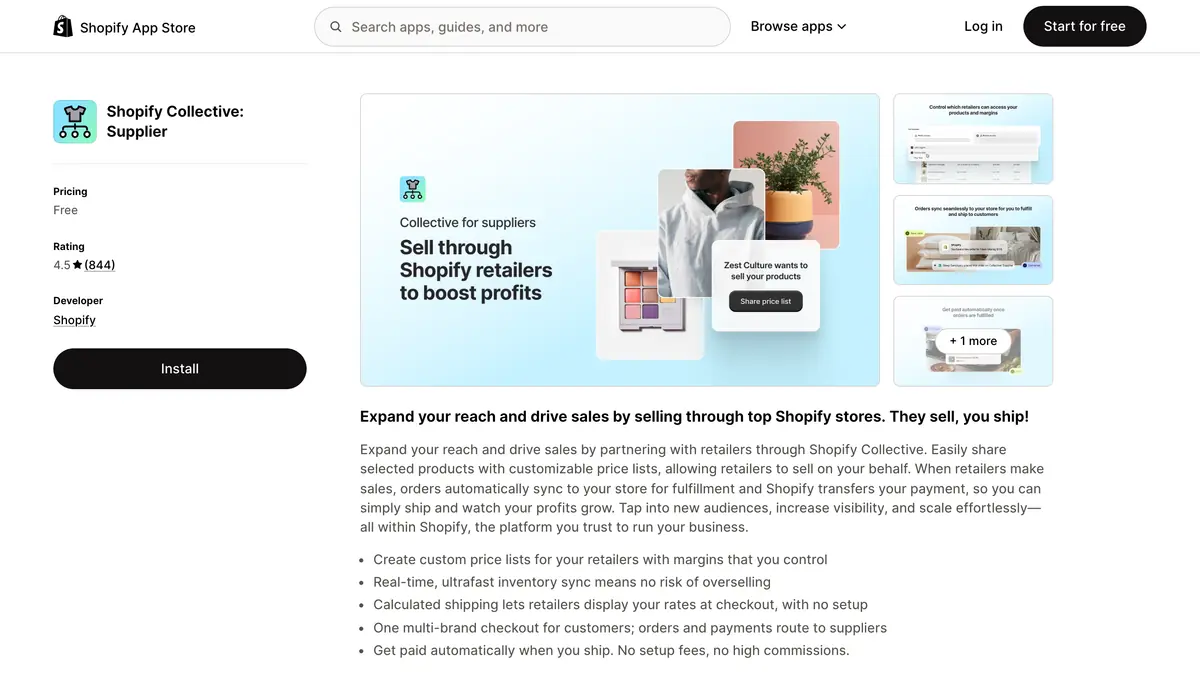 Source: Shopify Collective: Supplier on the Shopify App Store, read on November 4, 2026.
The price list article gives the sync time: less than 30 seconds on average, up to 5 minutes. A supplier can also turn off automatic payments and agree a manual method, such as an invoice or a bank transfer, with each retailer, according to the supplier payments article.
How is Shopify Collective different from a dropshipping app?
On the surface, it is dropshipping: the retailer sells products it doesn't stock and the supplier ships them, and Shopify lists the retailer app in the App Store's Dropshipping category. What sets it apart are the rules Shopify builds in:
| Point | Shopify Collective | What to check in a dropshipping app |
|---|---|---|
| Suppliers | Other Shopify stores, in the same country and currency as you | Where the suppliers are and how long shipping takes |
| Price of the tool | Free for eligible stores | The plan or fee on its App Store listing |
| Paying the supplier | Debited from your Shopify Payments balance, released when the supplier fulfills | When and how you pay for each order |
| Product data | Cost price and inventory synced from the supplier's store | How often stock and prices sync |
| Customer data | The supplier doesn't receive the customer's email | What the supplier sees and who contacts the customer |
Collective column: Shopify Help Center and Collective page, read on November 4, 2026.
Dropshipping apps connect you to their own catalogs or supplier networks, which can be in other countries, and each sets its own pricing. Our ranking of the best dropshipping apps for Shopify compares them on supplier location, automation and price.
Where does WhatsApp fit with Collective orders?
With Collective, the customer relationship stays with the retailer. Shopify's checklist asks retailers to manage all customer communications, including order and shipping confirmations, and the supplier's tracking number lands on the retailer's order. Questions about a late parcel come to you, whichever store shipped it. Our guide to WISMO requests covers how to answer them before they arrive.
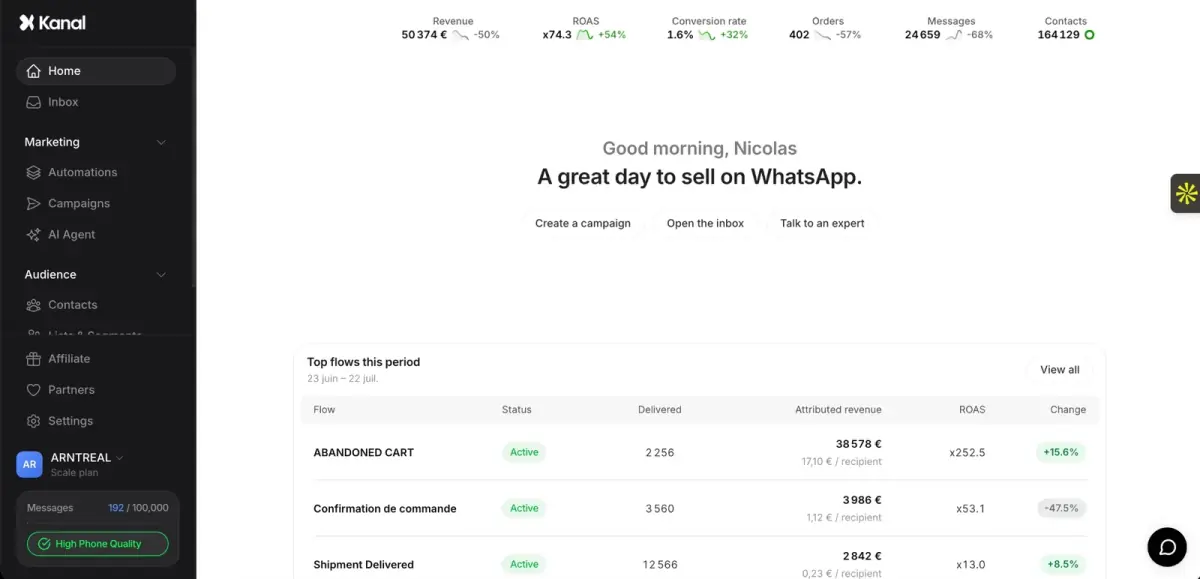
Kanal, our WhatsApp marketing app for Shopify, sends order notifications on WhatsApp: order confirmations, shipping updates and delivery notifications, triggered by your store's order events. A Collective order is created in your store like any other order, so its order confirmation goes out as usual; place a test order to check how the shipping update comes through once the supplier adds tracking. Customers can reply in the conversation, and replies land in Kanal's shared team inbox. Kanal does not send email: Shopify's shipping confirmation email keeps going out as usual. Messages go to customers who opted in, which Kanal collects with a pop-up and a chat widget that open WhatsApp.
| Kanal plan | Price per month |
|---|---|
| Pro | €89 |
| Scale | €149, with RCS and SMS included and the AI agent |
| Business | €350, with RCS, SMS and the AI agent |
Source: Kanal pricing page, read on November 4, 2026. Meta bills WhatsApp messages on top, at rates explained in our WhatsApp Business pricing guide.
If you compare tracking tools first, our ranking of order tracking apps for Shopify lists their prices.
Shopify Collective at a glance
| Item | On November 4, 2026 | Source |
|---|---|---|
| Price | Free with all Shopify plans, subject to eligibility; no minimum sales | Shopify Help Center |
| Apps | Shopify Collective (retailer) and Shopify Collective: Supplier, both free | Retailer and supplier listings |
| Countries | 38, with 18 currencies; partners in the same country and currency | Requirements |
| Required | Active plan, Shopify Payments with active payouts, Network Intelligence | Requirements |
| Supplier payment | Debited from the retailer at order, transferred on fulfillment | Retailer payments |
| Margin | Set by the supplier; 20% to 50% suggested, 5% minimum on public price lists | Price lists |
| Shipping | Supplier's rate, owed by the retailer even when it offers free shipping | Shipping |
| Not supported | Digital and gift card products, Managed Markets, pickup in store | Requirements |
Shopify Collective costs nothing to use, and the economics sit in the price list: the margin the supplier offers, the shipping rate it charges and the discounts you run. Check that your partner is in your country and currency, keep enough in your Shopify Payments balance for the debits, and plan your customer messages, since every Collective order is yours to communicate on.
See Kanal on your own store
- Your campaigns and cart reminders on WhatsApp, starting from your own store
- Post-purchase offers, back-in-stock alerts, then the AI agent that advises your customers
- You leave with the plan that fits and its price
From €89/month
- brands
- 500+
- to set up
- 5 min
- open rate on WhatsApp
- +90%
Nicolas helps e-commerce brands grow revenue with WhatsApp marketing. With deep expertise in Shopify ecosystems and conversational commerce, he shares proven strategies for abandoned cart recovery, broadcast campaigns, and AI-powered customer engagement.